Documentation
Get started
Quickstart
This guide will take you from a fresh account to a live Chevereto instance in minutes.
Create Application
Create your first Application in a few steps:
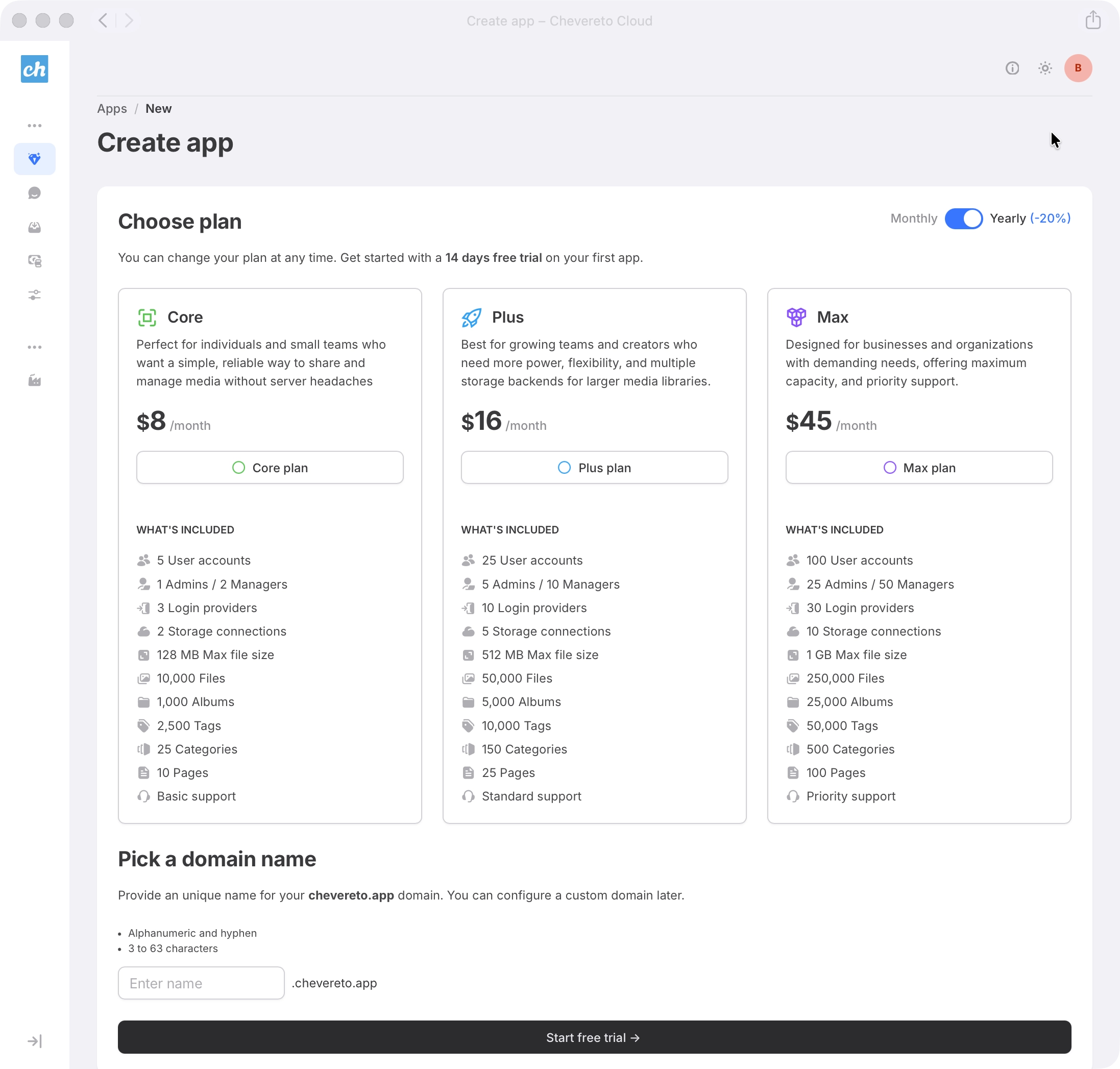
- Navigate to the Apps section Click Create app to begin the process.
- Choose plan Choose the resources that fit your current needs. You can scale your plan vertically as your requirements evolve.
- Pick a domain name Provide an unique name for your free *.chevereto.app domain. You can configure a custom domain later.
- Submit Review the details and click Start free trial / Create app button. You will be redirected to the newly created application.
- Complete checkout Finish the secure checkout flow to activate your Application.
Manage your Application
After checkout, your Application is provisioned within minutes and ready to configure from your dashboard.
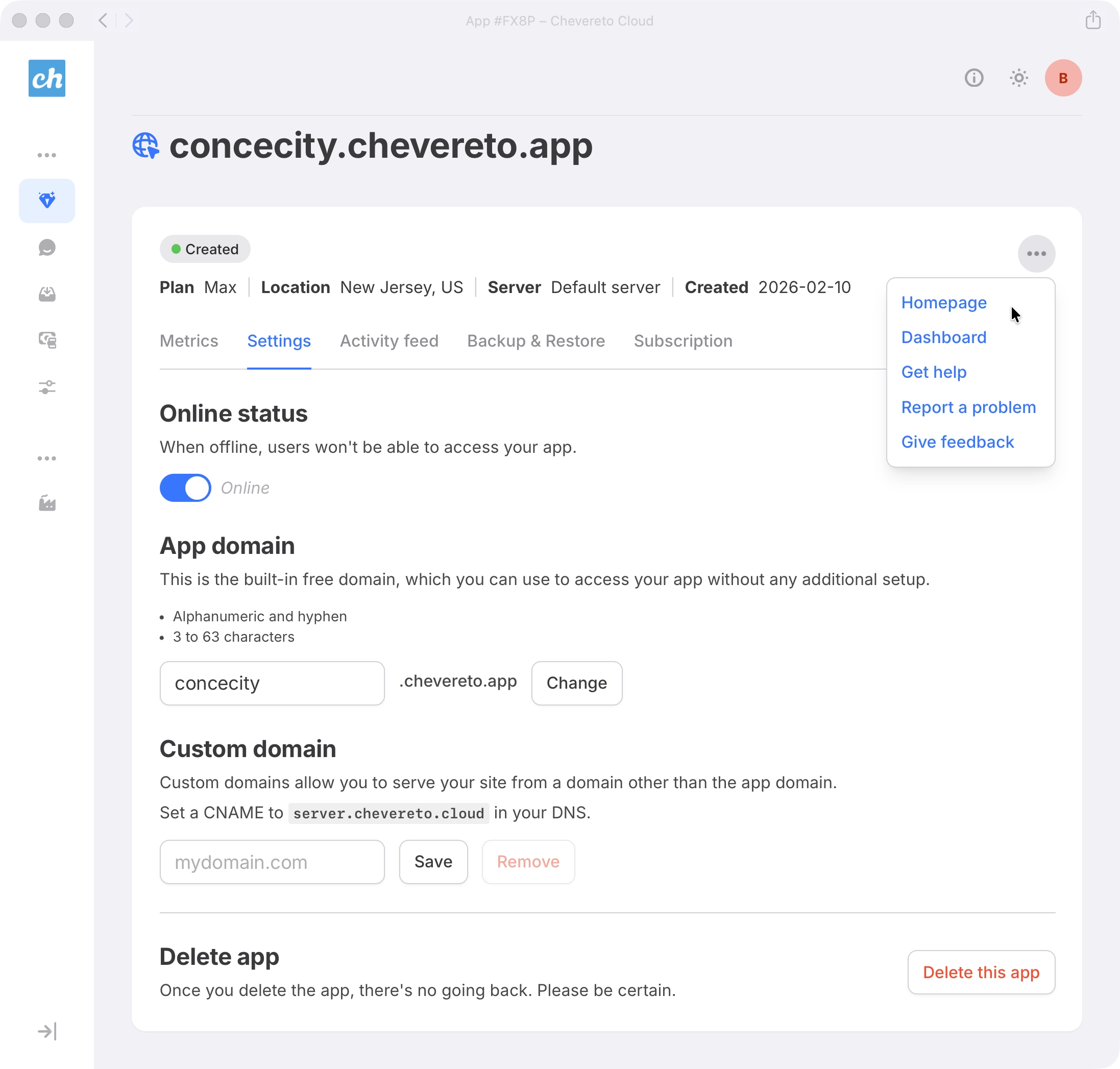
- In your Apps section, click on the Application to access its settings.
- Explore the available options to familiarize yourself with your Application.
Next steps
- Security Protect your Account with passkeys and 2FA.
- Connect Storage Configure Application Storage (AWS S3, S3-Compatible, etc.) to store your media files.
- Transactional Email Configure an Email provider for outgoing email sending.